OpenSports now offers better support for youth registration, allowing parents or guardians to register their children directly under their own account. With this registration mode, only the child needs to be registered and checked in, while the parent completes the purchase under their own account.
During registration, parents simply enter the child’s name. This name is saved to their account, making future registrations faster and easier!
Note: If you don’t see this option available, please email us at support@opensports.net.
For linked registration where both the parent and child must be registered together, please refer to the Required for Order article.
This article will break down:
- How to set up youth registration
- How to view attendees and & check-in players
- Important Notes
- Admin FAQ
- Parent registration flow
- Parent FAQ
How to set up youth registration
To set up youth registration on the web:
Locate Group Dashboard and choose Events or Programs.
Create a new Event or Program.
Fill out all required fields:
- Sport
- Title
- Date
- Location
- Under Purchaser Mode, select Purchase Attendee Optional – Youth-friendly

Create Youth Registration and click Save.
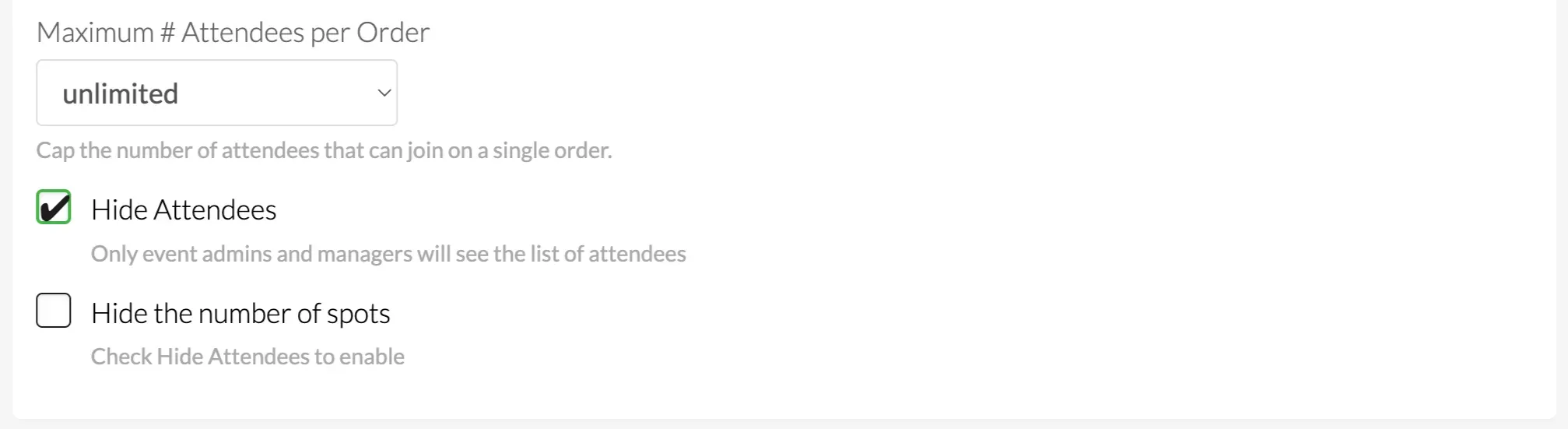
Under Maximum # Attendees per Order, use the dropdown to set the maximum number of children a parent can register in a single order.
- We recommend enabling Hide Attendees to keep the attendee list visible only to event managers and admins.
Use Custom Questions to collect any event-specific information you’d like parents to provide during registration.
For youth-only events, it’s recommended to disable Chat Access.
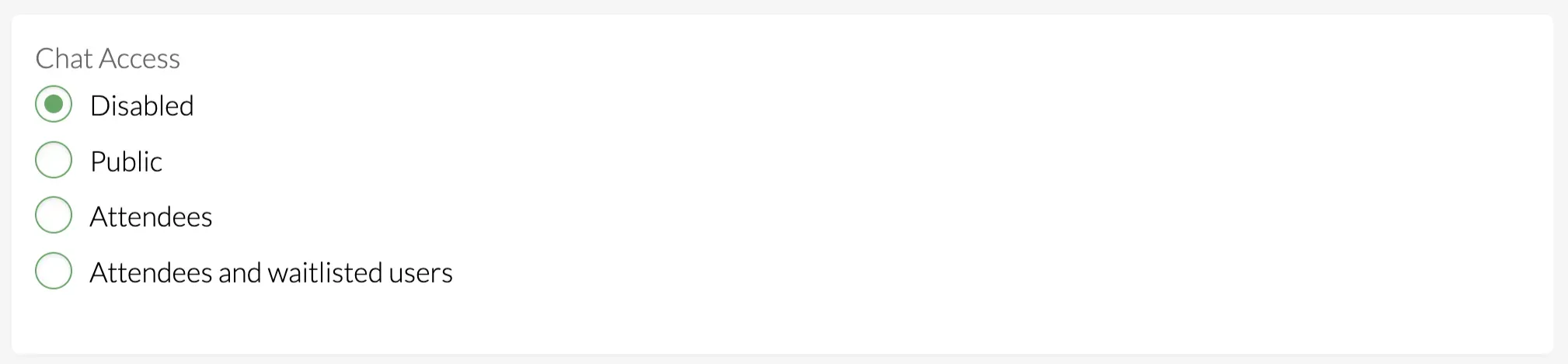
- Complete filling out all information in the event creation page and click Save.
Admin FAQ
1. Can parents edit or remove a child’s name after registering?
Parents cannot edit the child’s name after registration. They will have to notify the event host of the incorrect name or cancel the registration and re-register under the correct name.
2. Can I limit youth registration to specific age ranges or skills?
Yes! To enforce age restrictions or skill levels, create a child-specific field (e.g., Date of Birth or Age) on your Admin-Member Form or Member Form, then apply a Member Rule to the event or program.
3. Can I run reports that include child names?
The event report will contain the child names for attendance and check-in. However, most financial reports and member lists are tied to the parent account.
4. Can I require emergency contact or medical information for youth participants?
Yes! Use Custom Questions to collect emergency contact details, medical notes, allergies, or other required information during registration.
Parent Registration Flow
To register your child for an event or program on the web:
Log into your OpenSports account and locate the event or program registration page
Click Join
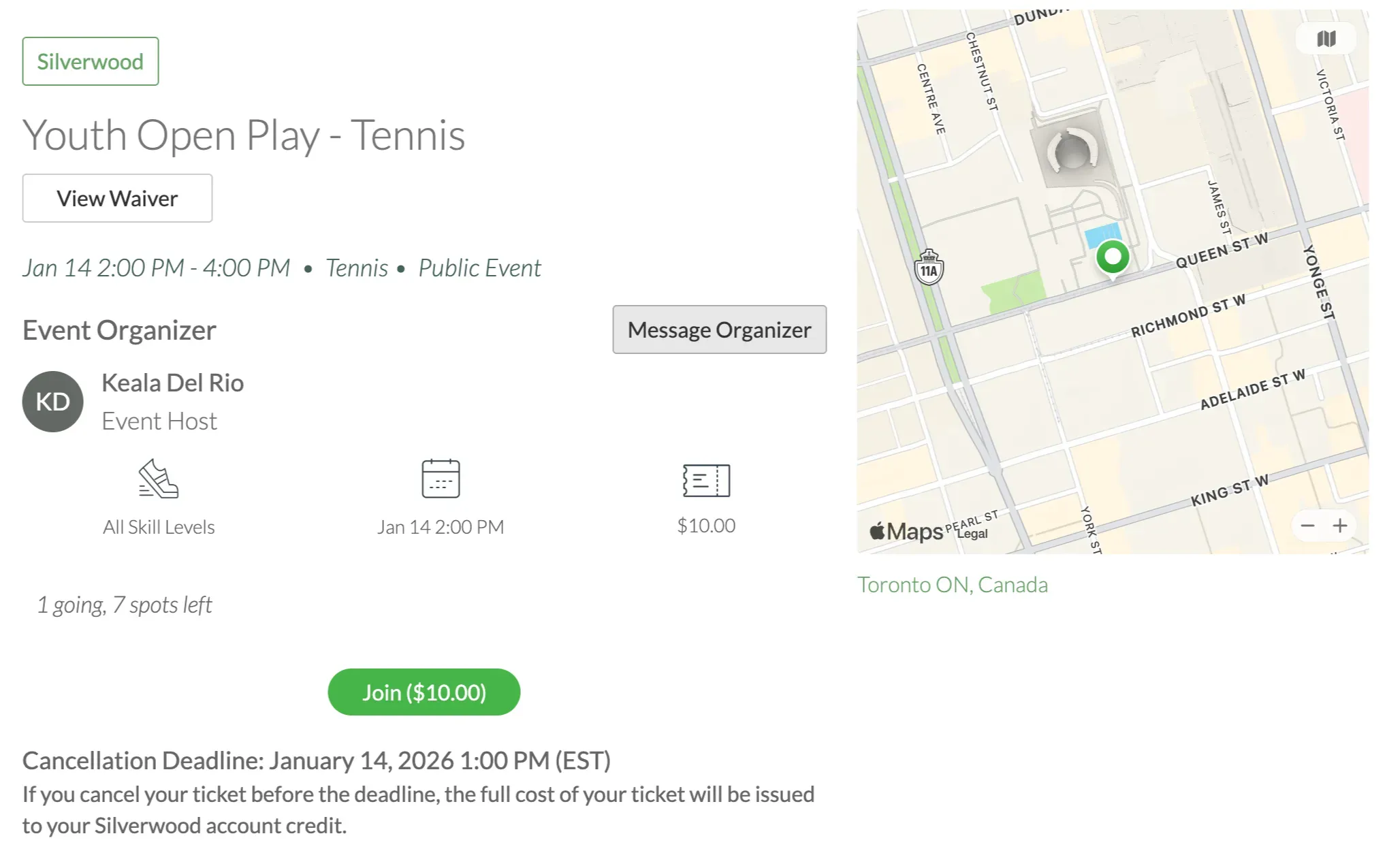
If you are a new member of the group you may be prompted to fill out their Member Details and agree to the Group Waiver.
Under Ticket select specific registration type if there are multiple.
Under Attendee use the dropdown menu to select Add New Guest.
Enter the First and Last Name of your child. To add more than one child in this order, select Add Ticket. If the registration displays ‘Cannot add more tickets’, the event is set to one child per order.
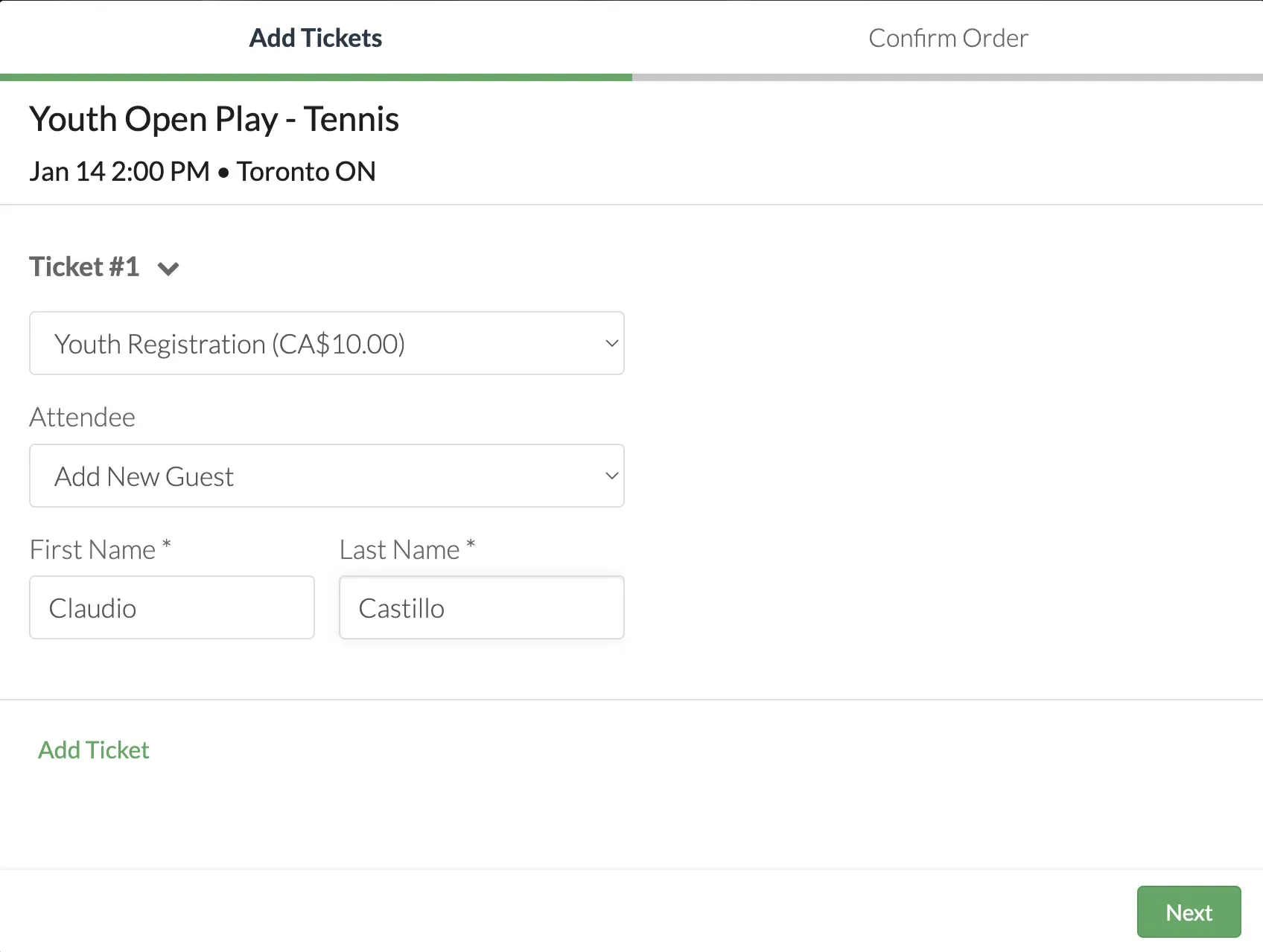
- Once complete click Next to complete payment and Buy Ticket.
Parent FAQ
1. Do children need their own OpenSports account?
No! With the youth registration children can be registered under their parent or guardian’s account.
2. Why does my child’s name appear in the attendee list?
Event visibility settings are managed by the group admins, and the attendee list has been set to visible. If you’d like this hidden, please contact the event host or group directly.
3. Can I edit my child’s name after registering them?
A child’s name cannot be edited after registration. If the name was entered incorrectly, please contact the event host or group to notify them of the correct name, or cancel your registration and re-register using the correct name.
4. Can I use my group account credits when registering my child?
Yes! Any available credits, discounts, memberships on your account can be applied during checkout, if eligible for the event.
5. Will my child receive emails or notifications?
No, all emails and notifications are sent to the parent or guardian’s account.
6. Does my child need to check-in using the app?
While a QR code is available on the parent’s profile to assist with guest check-in, children are not required to present a QR code. Event hosts can check-in attendees directly from their attendee list as children arrive.
7. Does my child need to agree to the waiver separately?
If the Group Waiver has been updated to include a child-specific section, the parent or guardian agrees to the waiver on behalf of the child during registration. Although some groups may also require additional waivers, completed in person or online, to cover further youth-specific policies or regulations.
8. What happens if my child is registered more than once?
A child cannot be registered twice under the same parent account. However, if the child is registered using a different parent account, or by another parent or guardian, the system does not automatically flag the duplicate registration. If this happens, please contact the event host or group admin so they can review and remove the duplicate registration if needed.
Questions? Send them our way: support@opensports.net