Member Forms and Admin Member Forms are essential tools for club operations, providing easy access to member information through the OpenSports app. Admins can access both forms either through activity pages (events, sessions, matches) or by doing a member search.
Event Attendees
Method 1: Manage Users
- Locate the event page
- Click Manage Users
- Locate the player and click on the three dots on the right to select Member Details
Method 2: Check-In Attendees
- Locate the event page
- Tap Check-In
- Locate the player and click on the three dots on the right to select Member Details
Program Session Attendees
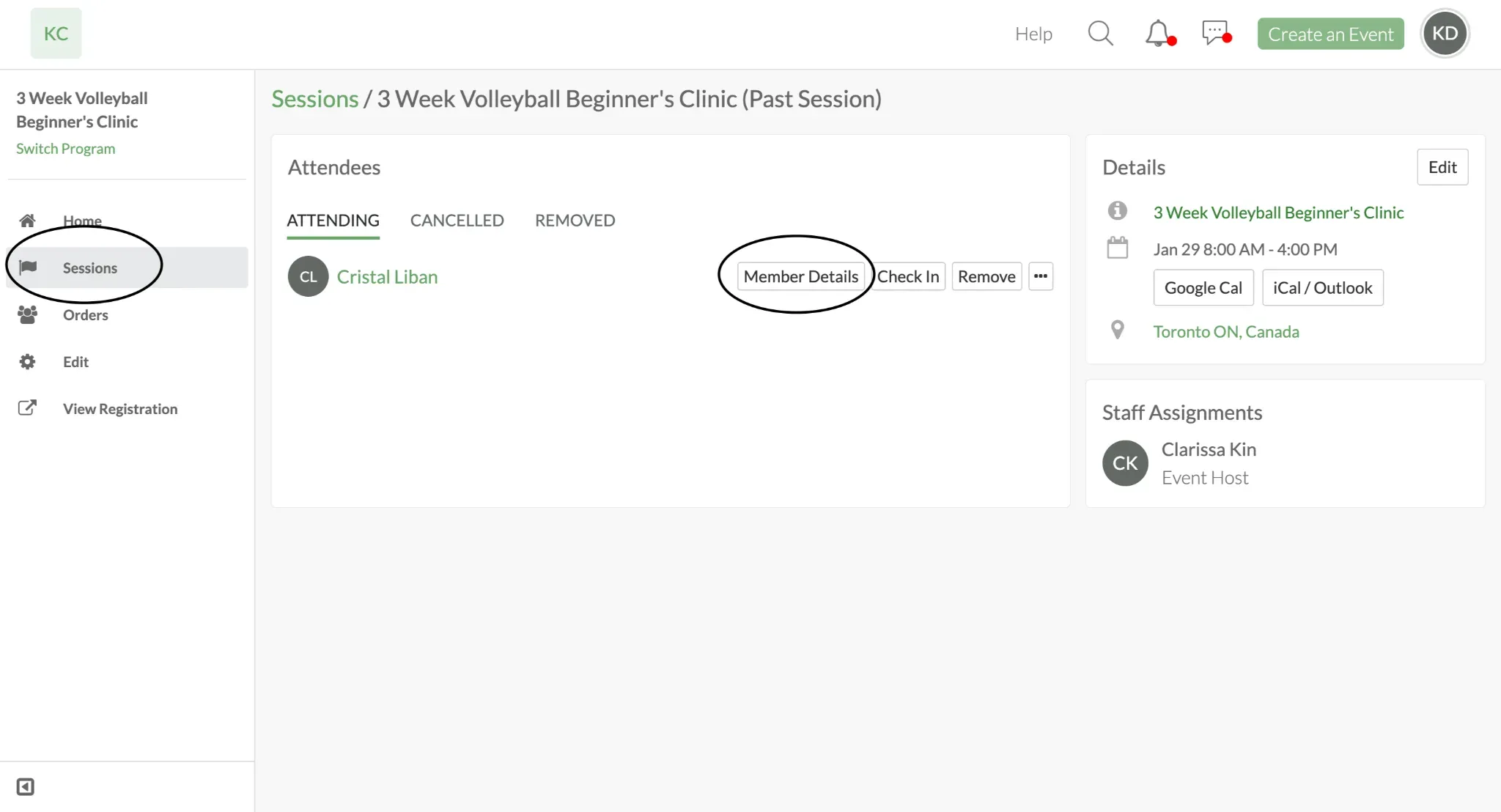
Method 1: Sessions
- Locate the Program Dashboard > Sessions
- Click on specific session, then locate the player
- Select Member Details tab to the left of the players name
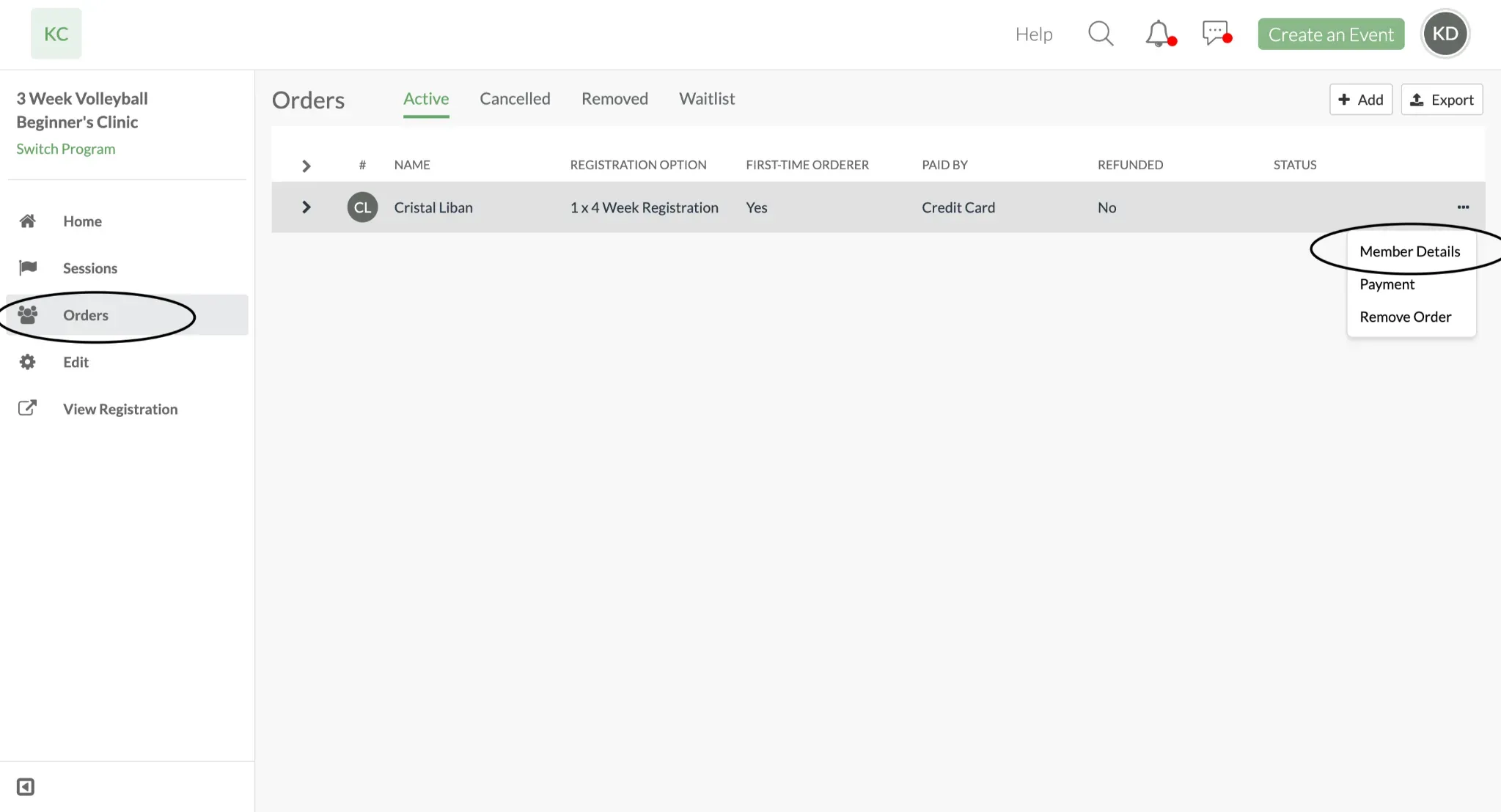
Method 2: Orders
- Locate the Program Dashboard > Orders
- Locate the player then click on the three dots to the right
- Select Member Details tab
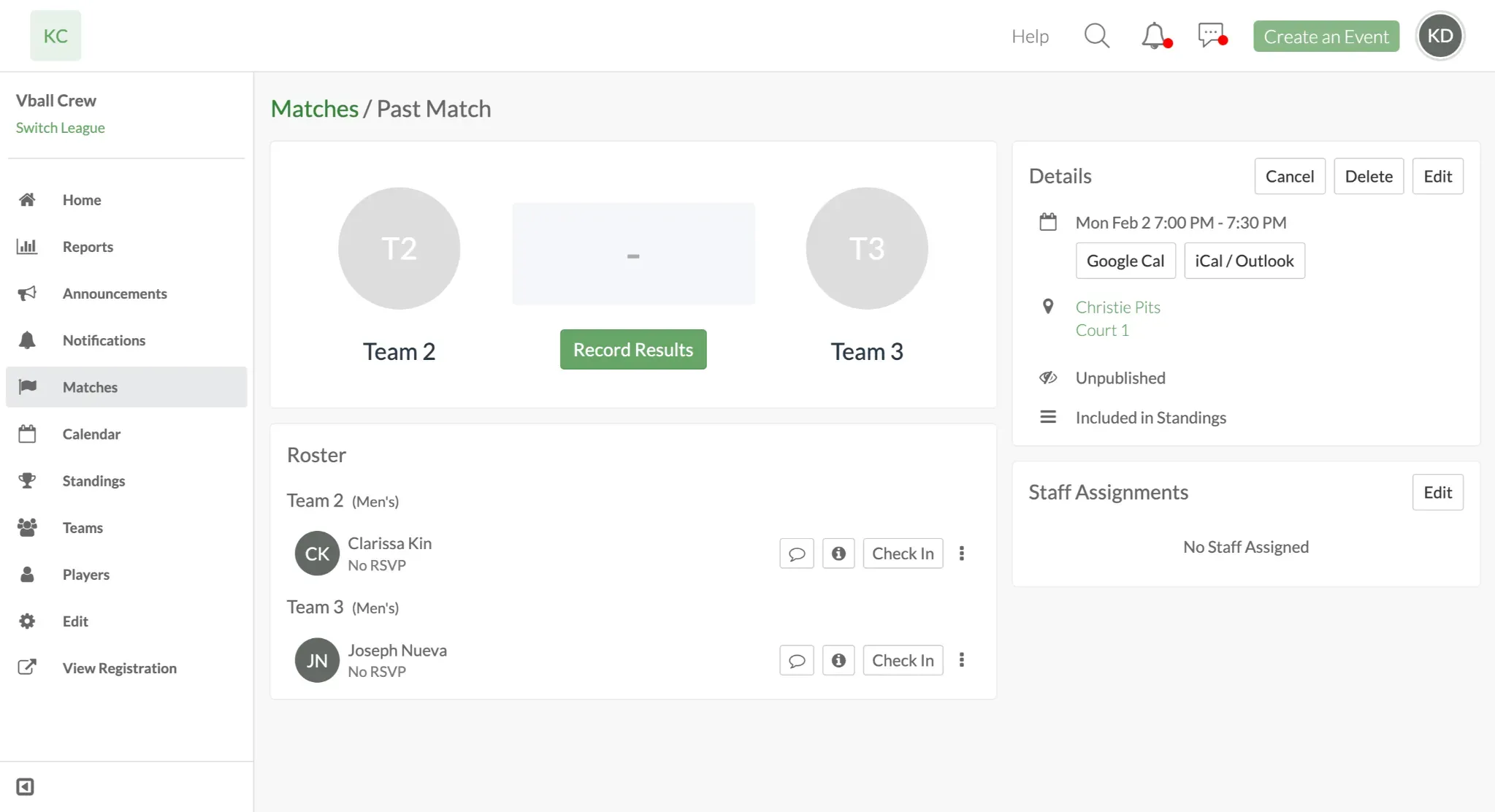
League or Tournament Players
- Locate the League/Tournament Dashboard > Matches
- Click on specific match
- Locate the player and click on the information icon to the left of their name
Search by Name
Only available on the app
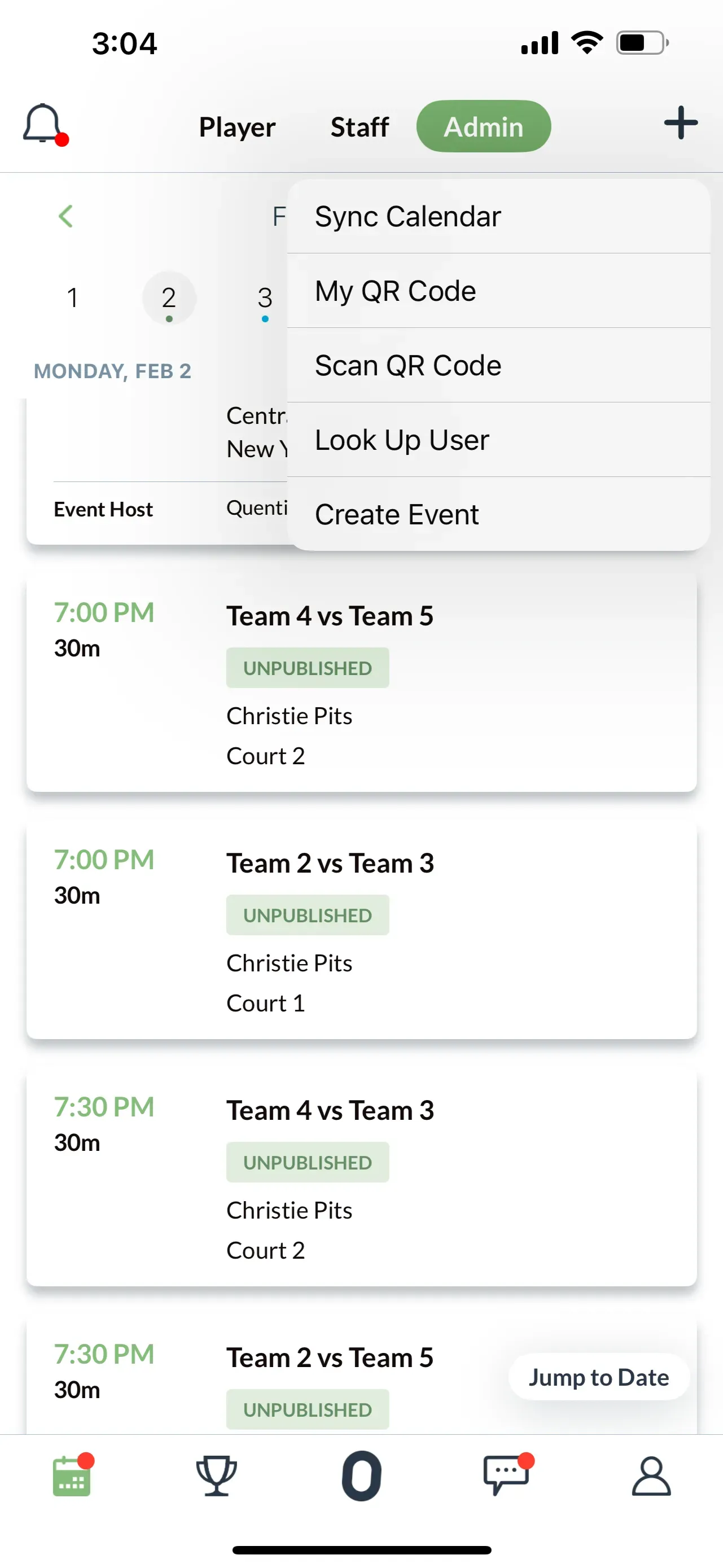
- Open the Calendar tab (leftmost icon)
- Tap the + icon (top right corner)
- Select Look Up User
- Enter the member's name
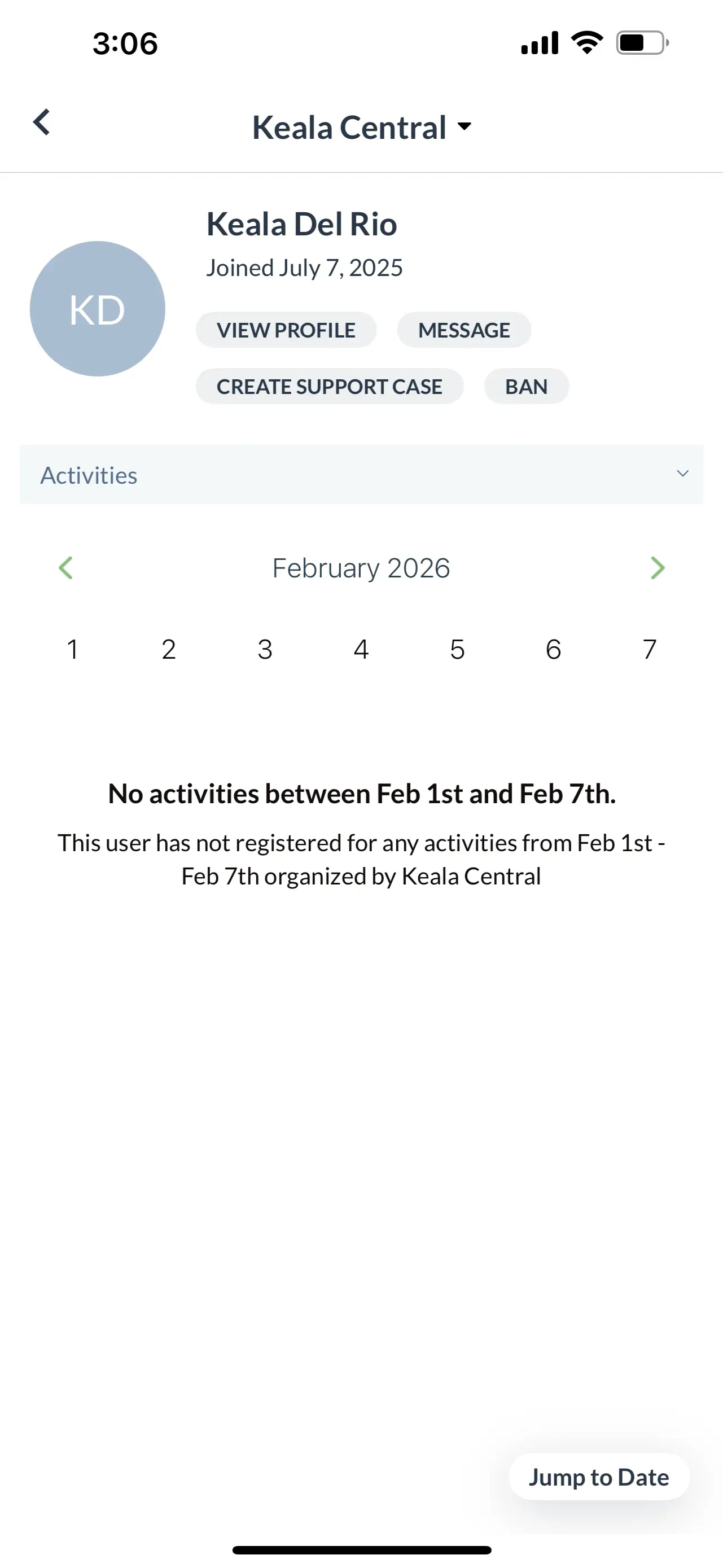
- Select View Activities then tap View in User Dashboard
- You may be prompted to select which group if player is a member of multiple groups.
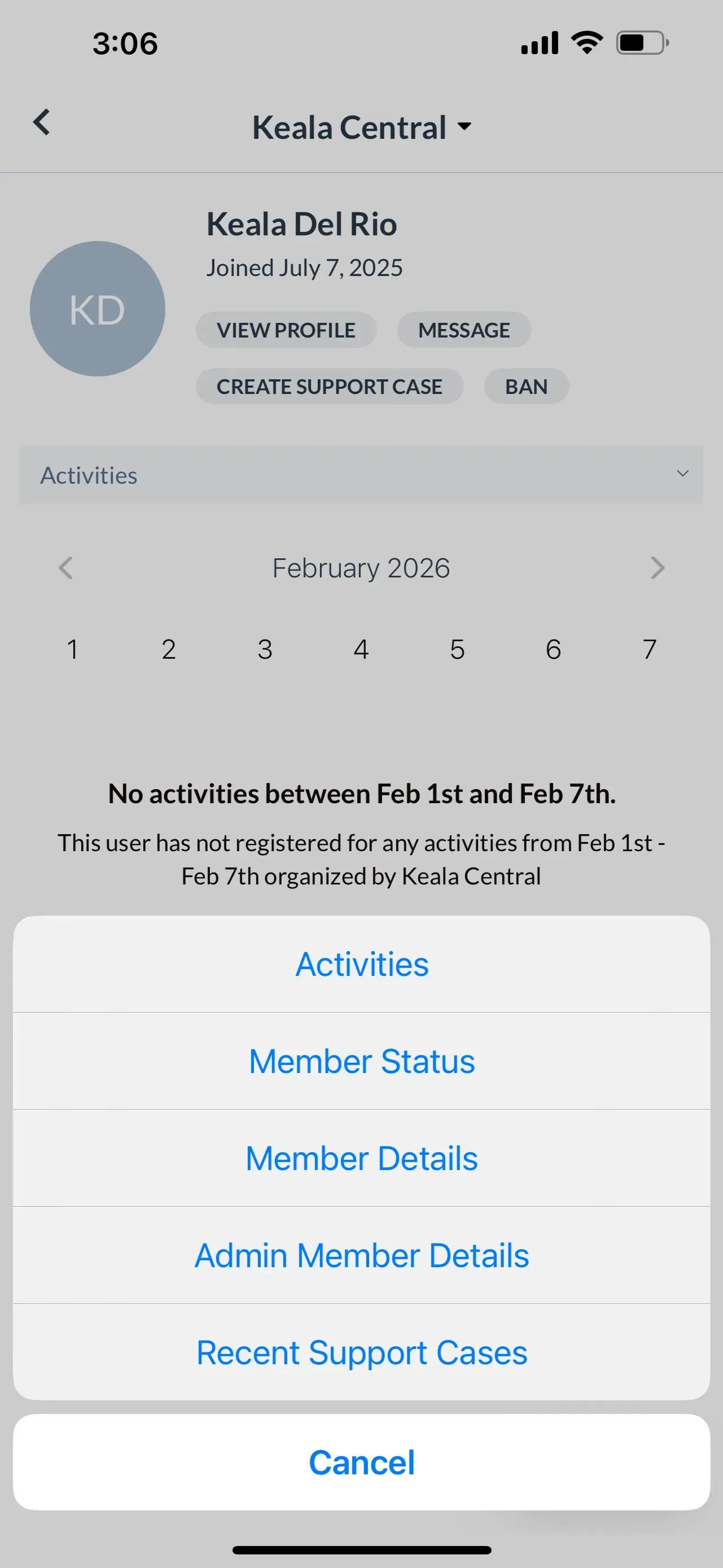
- Use the Activities dropdown menu to select Member Details or Admin Member Details
Scan QR Code
Only available on the app
- Open the Calendar tab (leftmost icon)
- Tap the + icon (top right corner)
- Select Scan QR Code
- Ask the member to open their profile (rightmost tab)
- Scan their QR code
- Select View in User Dashboard
- You may be prompted to select which group if player is a member of multiple groups.
- Use the Activities dropdown menu to select Member Details or Admin Member Details
Making Updates
To edit member information:
- Navigate to the member's form using either method above
- Tap "Update Member Details"
- Edit the fields where you have permission
- Save your changes
Note: You can only edit fields where you have been granted edit permissions.
Related Articles
- Combining Member Forms and Member Rules to Power Your Organization
- How to Restrict Event Access to External Member Databases Using Member Forms and Member Rules
Questions? Send them our way: support@opensports.net